Deploy on-prem.
AiraFusion runs anywhere — the same platform in your cloud, your data center, a sovereign region, or fully air-gapped. On-prem is one of those options, and the one that matters most when your data can't leave the building. Here is the shape of the process.
Deployment packages, image registries, and license keys are provided during onboarding. This guide shows the shape of the process — your AiraFusion solutions engineer runs it with you. Same platform, your choice of where it lives.
1. Size the hardware
Nexus runs comfortably on a single virtualized host for pilots and scales out for production. A GPU is optional — needed only if you host open-weight models on-box; API-routed or in-country cloud models need none.
Two reference footprints
Pilot — 16 vCPU · 64 GB RAM · 500 GB SSD (add one 24 GB GPU for local models).
Production — 3+ nodes, HA Postgres, object storage, and a dedicated GPU pool as needed.
2. Stand up the pilot stack
The pilot ships as a single bundle — the full platform (gateway, studio, durable workflow engine, vector store, object store, observability) in one command. First boot runs database migrations automatically and seeds an admin account; the console is served on your chosen port behind your reverse proxy.
3. Connect your models
Nexus is vendor-neutral by construction: every model call flows through one secure gateway. Register any mix of providers — local open-weight models on your GPUs, in-country cloud endpoints, or commercial APIs — then control who can use what with per-role allow-lists enforced at the gateway. You hold the keys; nothing is locked to one cloud.
Secure by default, then prove it.
Production moves to Kubernetes, with an OpenShift overlay included. The platform ships hardened out of the box.
- Non-root containers with security contexts on every workload.
- KMS / HSM envelope encryption for secrets, with key rotation.
- SSO via OIDC / SAML, native TOTP MFA, and JWT revocation.
- Scheduled encrypted backups with documented restore verification.
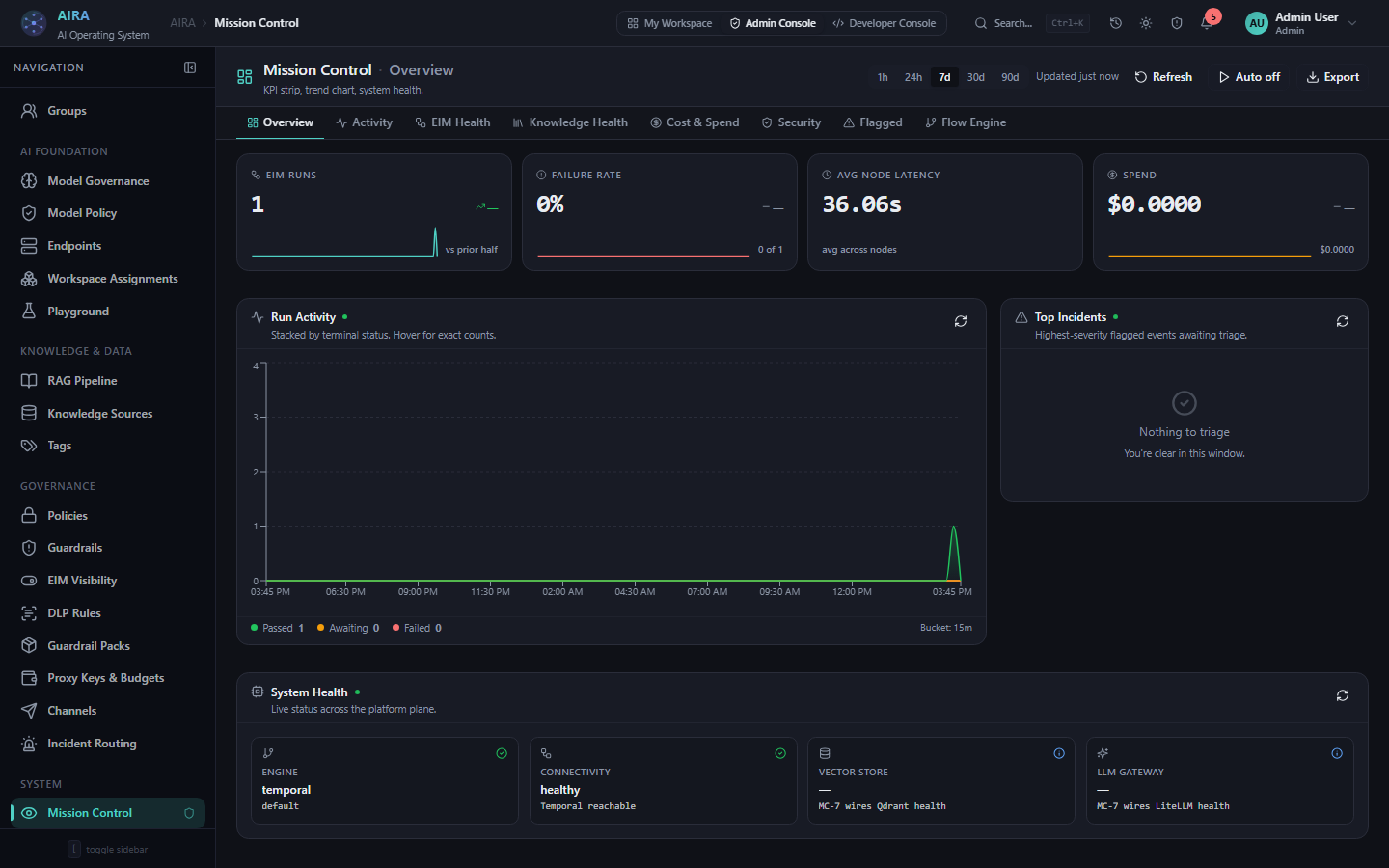
4. Verify the governance loop
Before onboarding users, prove the loop end-to-end: run a seeded AI app, watch it in Mission Control, then verify the audit chain in the Govern console. A typed result with measured cost, a live run in the single pane, and a verified, tamper-evident chain entry — that verified chain is your day-one artifact for risk and compliance sign-off.
5. Air-gap (optional)
For classified or fully isolated environments, the entire platform — images, models, embeddings — transfers via an offline registry bundle. No external calls are required at runtime; updates arrive on your schedule, through your process. ⚠ verify mandates per jurisdiction
Run it with our team
See the full deployment options — cloud, on-prem, sovereign region, air-gap — and which fits your estate.